Topaz Portal
Topaz Portal is a lightweight web UI that lets you browse and manage emulated Azure resources — subscriptions, resource groups, Key Vaults, and more — without writing CLI commands. It connects directly to the running Topaz emulator over HTTPS and is distributed exclusively as a Docker image.
The Portal is a front-end for the emulator. Start topaz-host (or the thecloudtheory/topaz-host container) before launching the Portal, and make sure the one-time DNS and certificate setup described in Getting started has been completed.
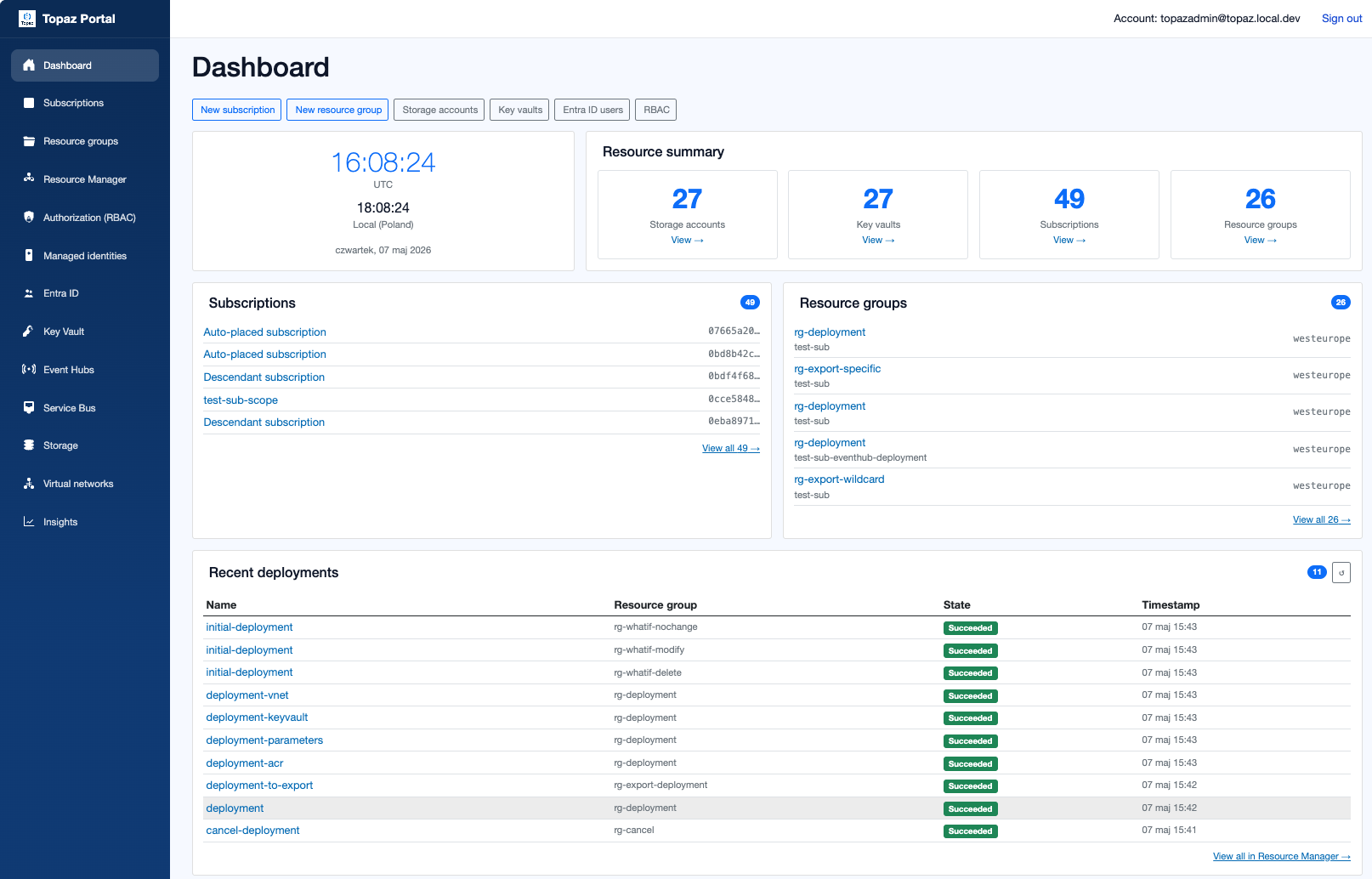
The Topaz Portal dashboard gives you an at-a-glance overview of all emulated services — subscriptions, resource groups, Key Vaults, storage accounts, and more — without leaving your browser.
Running the Portal
Pull and start the Portal container, binding it to a local port of your choice (8900 is used in the examples below):
docker run -d \
  --name topaz-portal \
  -p 8900:8080 \
  thecloudtheory/topaz-portal:latest
Open http://localhost:8900 in your browser.
The Portal serves its own HTTPS endpoint on container port 8081. To use it, bind that port instead and trust the Topaz certificate as described in Getting started:
docker run -d \
  --name topaz-portal \
  -p 8900:8081 \
  thecloudtheory/topaz-portal:latest
Then open https://localhost:8900.
Connecting to the emulator
By default the Portal expects the emulator's ARM endpoint at https://topaz.local.dev:8899.
| How Topaz is running | Does topaz.local.dev resolve? | What to do |
|---|---|---|
| Standalone on the host | Yes — DNS/hosts setup points it at the host | Use the default URL |
| Docker Compose with the DNS sidecar (e.g. the devcontainer setup) | Yes — the sidecar resolves *.topaz.local.dev to the Topaz container | Use the default URL |
Plain docker run without DNS | No | Not supported — see note below |
docker run requires DNSThe Portal connects to the emulator over HTTPS and validates the TLS certificate, which is issued for topaz.local.dev. Simply using a container name (e.g. https://topaz-host:8899) will fail with a certificate name mismatch even if the network connection succeeds.
To run both the emulator and the Portal as containers, use Docker Compose and add a DNS sidecar that resolves *.topaz.local.dev to the Topaz container's IP — as shown in the Docker Compose example below.
Available views
| Page | Description |
|---|---|
| Dashboard | Overview of the running emulator |
| Subscriptions | List all subscriptions registered in the emulator |
| Resource Groups | Browse resource groups within a subscription |
| Resource Manager | Inspect raw ARM resources, deployment history, and management groups |
| Authorization (RBAC) | View and inspect role assignments |
| Managed Identities | Browse user-assigned managed identities, their federated credentials, and IAM settings |
| Entra ID | Browse Entra ID tenants, users, groups, applications, and service principals |
| Key Vault | View Key Vault instances and their secrets, keys, and certificates |
| Event Hubs | Browse Event Hub namespaces and their event hubs |
| Service Bus | Browse Service Bus namespaces, queues, and topics |
| Storage | Browse storage accounts, blob containers, queues, and tables |
| Virtual Networks | View virtual networks |
| Insights | Observability and diagnostics information |
Topaz CLI terminal
The Portal includes a built-in CLI terminal panel. Click the Topaz CLI button in the navigation bar to open it.
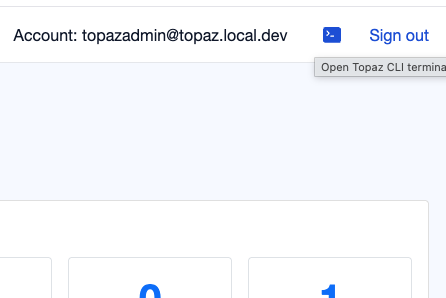
From there you can run any topaz command — create resources, inspect state, manage subscriptions — without leaving the browser.
- Suggestions — start typing and the panel surfaces matching commands with descriptions and usage examples.
- Tab / Enter — auto-completes the selected suggestion, pre-filling required options as placeholders.
- ↑ / ↓ — browse command history when no suggestions are open.
- Resize — drag the top edge of the panel to adjust its height.
The terminal connects to the same emulator instance the Portal is already talking to, so no extra configuration is needed.
Versioning
Portal images are tagged identically to the main Topaz release (e.g. v1.0.500-alpha). Always use a matching tag for the Portal and emulator to avoid compatibility issues:
# Start the emulator at a specific version
docker run -d --name topaz-host thecloudtheory/topaz-host:v1.0.500-alpha

# Start the Portal at the same version
docker run -d --name topaz-portal -p 8900:8080 \
  thecloudtheory/topaz-portal:v1.0.500-alpha
Docker Compose example
Running both services together with Docker Compose is the recommended approach for local development. A DNS sidecar is required so that topaz.local.dev resolves inside the Portal container and TLS validation succeeds:
services:
  dns-sidecar:
    image: alpine:latest
    command: >
      sh -c "apk add --no-cache dnsmasq -q &&
             echo 'address=/.topaz.local.dev/172.28.0.10' > /etc/dnsmasq.d/topaz.conf &&
             dnsmasq --no-daemon --server=1.1.1.1"
    networks:
      topaz-net:
        ipv4_address: "172.28.0.53"

  topaz-host:
    image: thecloudtheory/topaz-host:latest
    ports:
      - "8899:8899"   # ARM / Resource Manager
      - "8898:8898"   # Key Vault
      - "8891:8891"   # Blob Storage
    networks:
      topaz-net:
        ipv4_address: "172.28.0.10"

  topaz-portal:
    image: thecloudtheory/topaz-portal:latest
    ports:
      - "8900:8080"
    environment:
      - Topaz__ArmBaseUrl=https://topaz.local.dev:8899
    dns:
      - 172.28.0.53
    depends_on:
      - topaz-host
      - dns-sidecar
    networks:
      - topaz-net

networks:
  topaz-net:
    driver: bridge
    ipam:
      config:
        - subnet: "172.28.0.0/16"